Maximize Productivity with a Multi-Screen Setup
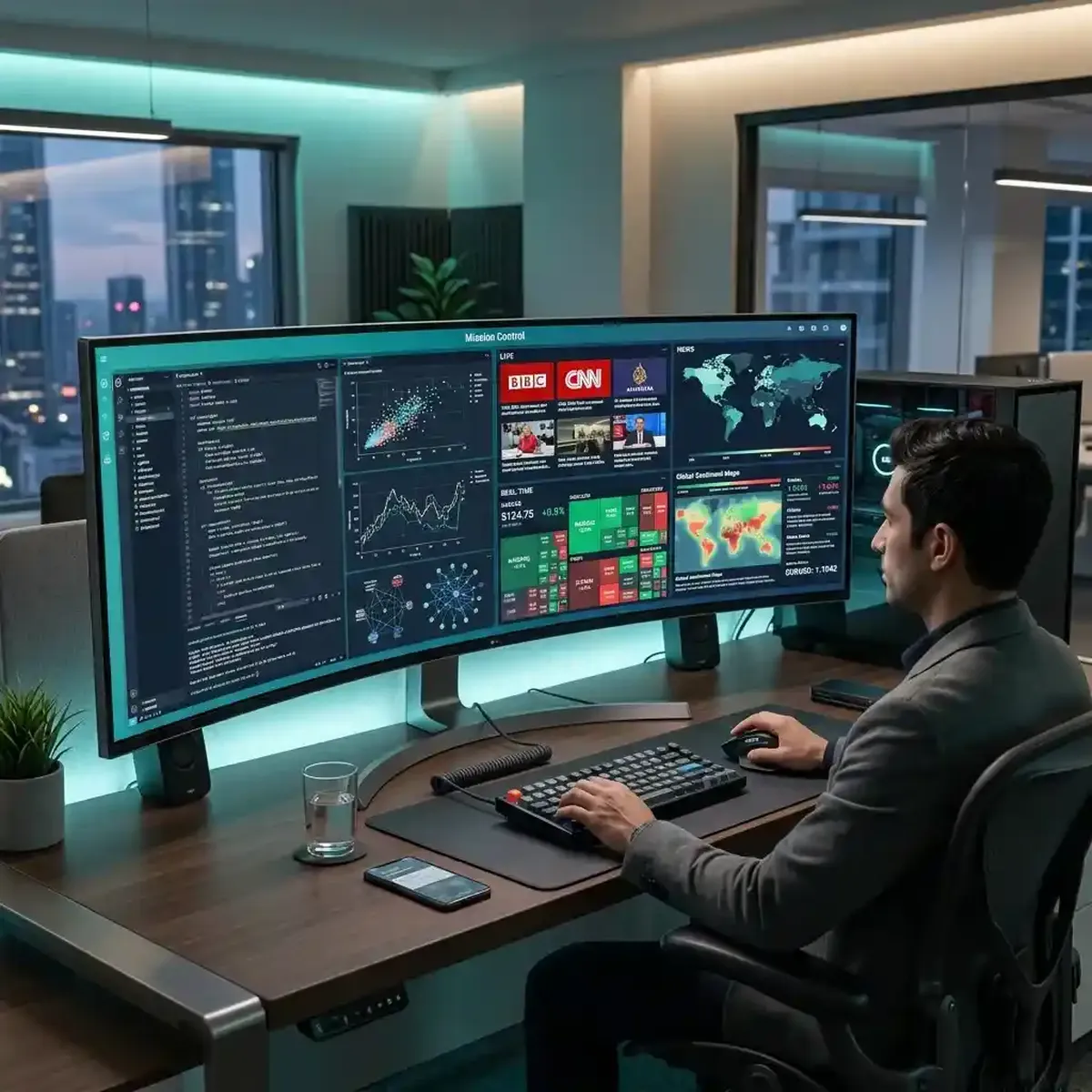
In the fast-paced digital landscape of 2026, the concept of "Productivity" has officially moved past the single-task model and into the realm of "Mission-Controlled Workflows."
The "Multitasking Myth"—the idea that humans can't focus on multiple things simultaneously—is being rewritten by a "Contextual Truth." In the modern professional environment, success depends on the ability to maintain deep focus on a primary objective while simultaneously monitoring the global information meta-narrative. We are no longer working in silence; we are working as part of a high-velocity digital ecosystem. For the data-driven professional, a multiscreen setup is not a distraction—it is a requirement for efficient multitasking. This deep-dive guide explores the core principles of high-performance workspace design and examines how you can build a multi-format environment that optimizes your efficiency for the 2026 era. Success today is about the clarity of your visual real estate.
The Core Workspace: Designing Your Digital High-Velocity Home
Your workspace is the "Thinking Architecture" of your life. Today, the goal of a professional environment is to reduce "Friction"—the time and mental energy wasted on switching tabs, searching for lost data, or recalibrating your focus between disparate tasks. A multiscreen setup allows you to spatially organize your information, assigning specific regions of your visual field to specific *levels* of importance. This "Spatial Organization" is the core of modern productivity. By dedicating your primary screen to your core deep-work task and your secondary screens to "Contextual Intelligence," you create a visual map that your brain can navigate with sub-second eye-flicks.
To optimize this setup, you must find your "Focal Center." Position your highest-resolution monitor directly in your line of sight for primary activities (like coding, writing, or analysis). Flank this with secondary screens that hold your monitoring dashboards (using tools like YoutubeMulti), your live news feeds, and your communication channels. For example, if you are a market analyst in Poland tracking the latest tech-boom in Warsaw, your primary screen should be your technical chart, while your side screens monitor the "Fin-Twit" sentiment on X and the live market ticker on YouTube. This "Mission Control" design allows you to stay in a "High-Value State of Flow" for longer periods. Workspace design is productivity design.
Mastering Context-Switching: Reducing Latency in Your Professional Workflow
Every time you switch contexts—moving from a high-focus task to a quick status-check on a different platform—you incur a "Cognitive Switching Cost." In traditional single-screen setups, this cost is high because it involves multiple clicks, tab-scrolling, and a full mental reset. Today, the goal is to reduce this "Contextual Latency" to almost zero. A multiscreen environment allows for "Ambient Awareness"—where your brain can "monitor" a secondary signal without ever leaving the primary focus. This is the difference between "Distracted Research" and "Informed Execution."
The key to mastering this state is "Visual Stability." Use professional monitoring tools like YoutubeMulti to ensure your secondary data streams remain in a consistent location on your secondary screens. When you can "check the status" of a live global news event with a sub-second eye-movement, you minimize the mental effort required to recalibrate. Your brain begins to build a "Metadata Map" of the information around you, allowing you to build deeper connections between the news on one screen and the technical work on the other. High-performance multitasking is about the *synchronization* of information, not the *separation* of it. Total situational awareness is the ultimate productivity multiplier.
The Role of 'Monitoring' in Deep-Work Cycles: Staying Informed without Distraction
One of the most valuable aspects of the modern multiscreen world is the ability to maintain "Passive Intelligence." We no longer have to stop our work to "Catch the News"; the news is already part of our environment. This is especially true for professionals in high-velocity sectors like finance, tech, and geopolitics. By monitoring live sentiment dashboards or technical analysis (TA) streams on a side tile, you stay informed about "Inflection Points" that could affect your primary task. If a major "Alpha" (future-predicting information) breaks, you are an "Early Responder"—not because you were browsing, but because your environment was watching for you.
Think about your "Monitoring Density." A 12-video grid (monitored with high-performance tools like YoutubeMulti Pro) isn't about watching 12 things; it’s about having 12 "radars" working for your specific objectives. In a deep-work cycle, these tiles should be organized into "Strategic Clusters." For example, place your "Sentiment Analysis" tiles in the top-right and your "Technical Stats" in the bottom-left. This spatial consistency reduces the search-time required to find a specific piece of data, allowing your primary work to remain the undisputed focus. A well-designed dashboard is a "Safe Zone" for your eyes that prevents your mind from wandering to extraneous, low-value distractions. Monitoring is the shield of deep work.
Physical Ergonomics and Visual Real Estate: Protecting Your Focus
The biggest challenge of the multiscreen age is "Physical Fatigue." As our visual real estate expands, so does the risk of eye strain, neck tension, and general "Mental Haze." To be a successful "Multiscreen Strategist," you must design for "Biological Resilience." This means using high-quality display technology (4K or higher), proper monitor placement (usually at eye level), and "High-Contrast Visual Schemes" that minimize the effort required to parse data. Ergonomics is the foundation of high-performance cognition. If you are physically uncomfortable, your decision-making quality will suffer.
Consider the "Focal Distance." Your primary and secondary monitors should be positioned at a similar distance from your eyes to avoid the constant need for "Refocusing" (accommodation). Additionally, use tools that offer "High-Performance Playback" for multiple streams, as judder and buffering in your secondary tiles are a major source of visual distraction and mental friction. YoutubeMulti ensures that your 100-video grid remains stable and synchronized, protecting your focus from the chaos of low-quality video players. A 2026 workspace isn't just a place to sit; it’s a "Cognitive Cockpit" that needs to be tuned for maximum endurance. Protecting your physical health is the key to protecting your digital success.
Future Outlook: Gesture-Controlled Dashboards and Immersive Work-Spaces
As we look toward 2027 and beyond, the future of the productive workspace is undeniably "Immersive." We are moving toward a world where "Virtual Reality" (VR) and "Augmented Reality" (AR) allow us to build "Infinite Desktops"—where our information is spatially mapped in a 360-degree environment around us. Future dashboards will likely include built-in "AI Attention Assistants" and seamless integration with global reputation-integrity databases. YoutubeMulti is already providing the foundation for this high-tech future, allowing users to build their own bespoke "Strategic Intelligence Grids" today.
Using YoutubeMulti to Build Your High-Performance Intelligence Terminal
For the professional analyst or creator, having efficient multitasking of the psychological impact of their dashboard is non-negotiable. Using YoutubeMulti to build an "Efficiency Workspace" allows you to:
- Tile 1-4: The Primary Focus: A large, central tile (or cluster) for your core objective (e.g., the primary code editor or technical analysis).
- Tile 5-10: The Contextual Intelligence: Middle-sized tiles positioned in the periphery for live sentiment, news updates, and competitor monitoring.
- Tile 11: The Secondary View: A contrarian perspective or a different market index to ensure you avoid an "narrow perspective" of confirmation bias.
- Tile 12: The Historical Perspective: A tile dedicated to the "long-view" or the background data to ensure your decisions are grounded in historical context.
Conclusion: Final Thoughts on Productivity
The 2026 world of multiscreen productivity is a rewarding but demanding landscape of data, sentiment, and design. It is no longer enough to just "be busy"—you must "be informed" at the speed of the market. By utilizing advanced workspace design principles and professional tools like YoutubeMulti, you can ensure that you are always at the center of the intelligence curve. Don't just work—monitor, analyze, and build your productivity workflow in the multi-stream future. The era of total semantic awareness has arrived.